
Message rendering
Replace how user and assistant messages render with your own React components, the escape hatch beyond Generative UI.
By default, AgentInterface renders each message for you: markdown for assistant text, the user's text as sent, tool calls inline. Generative UI goes further, letting the model emit rich components inside an assistant message. In both, AgentInterface owns the rendering.
The components prop is the escape hatch past both. Hand AgentInterface your own AssistantMessage, ToolCallTimeline and UserMessage and they render every assistant, its tool calls and user message: markdown, layout, avatars, all of it.
import { AgentInterface } from "@openuidev/react-ui";

<AgentInterface
  llm={llm}
  components={{ AssistantMessage: MyAssistantMessage, UserMessage: MyUserMessage }}
/>;
All three keys are optional. Each omitted key keeps its default rendering. Matched tool and artifact previews are configured through artifactRenderers and remain separate from the timeline.
What a component receives
AssistantMessage receives the turn's answer as message, plus an isStreaming boolean. It mounts when the turn exposes an answer; it does not mount during the tool-only phase. Its message.toolCalls is an empty array because the timeline owns tool rendering. Guard message.content because an answer can be empty.
import type { AssistantMessage } from "@openuidev/react-ui";

function MyAssistantMessage({
  message,
  isStreaming,
}: {
  message: AssistantMessage;
  isStreaming: boolean;
}) {
  return <div className="assistant">{message.content ?? ""}</div>;
}
Once mounted, the component re-renders as the answer grows token by token. UserMessage receives each user message without isStreaming. Its content may be a string or, for multimodal input, an array.
A custom AssistantMessage
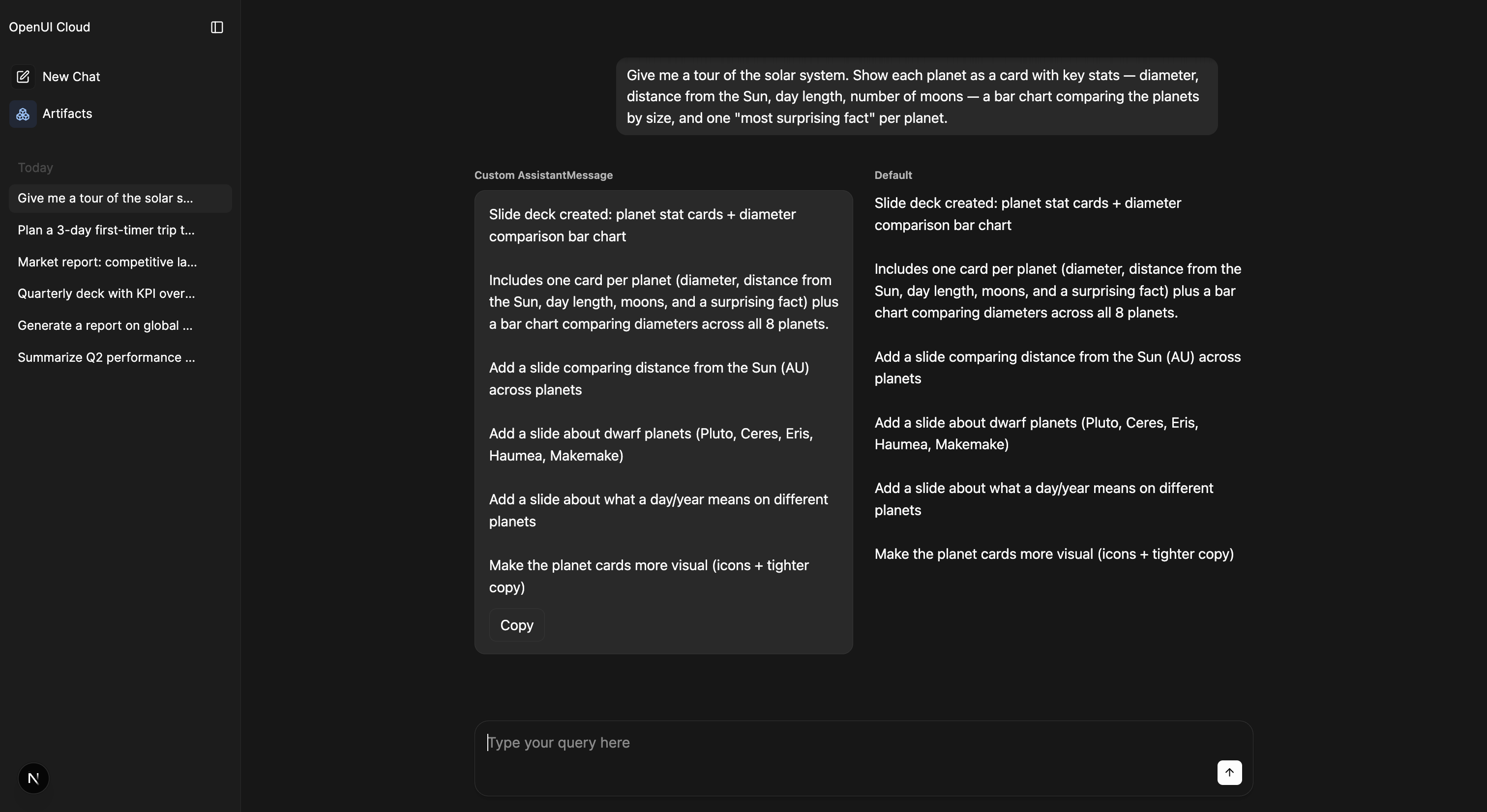
A complete renderer that adds a copy button while still rendering markdown:
import { AgentInterface, type AssistantMessage } from "@openuidev/react-ui";
import ReactMarkdown from "react-markdown";

function CustomAssistantMessage({ message }: { message: AssistantMessage }) {
  const text = message.content ?? "";
  return (
    <div className="prose">
      <ReactMarkdown>{text}</ReactMarkdown>
      <button onClick={() => navigator.clipboard.writeText(text)}>Copy</button>
    </div>
  );
}

<AgentInterface llm={llm} components={{ AssistantMessage: CustomAssistantMessage }} />;
The markdown library is your choice; nothing is imposed once you have taken over.
A custom tool timeline
ToolCallTimeline mounts as soon as the first tool activity appears, before the answer. It receives live updates for the whole turn and replaces the built-in timeline. It remains available after the turn finishes.
The exported ToolCallTimelineComponent type defines its props:
| Prop | Type | Meaning |
|---|---|---|
activities | ToolActivity[] | The turn's tool calls paired with their available results and current statuses. |
steps | TimelineStep[] | Ordered rows: { type: "text", id, text } or { type: "activity", activity }. |
isLast | boolean | Whether this turn is currently live. It is false for completed turns, including the most recent one. |
awaitingResponse | boolean | Whether the turn is live and its answer has not started, includes the delay after tool results arrive. |
This example starts collapsed and updates its tool count as activities arrive:
import {
  AgentInterface,
  MarkDownRenderer,
  TimelineEntry,
  type ToolCallTimelineComponent,
} from "@openuidev/react-ui";

const ResearchSteps: ToolCallTimelineComponent = ({ activities, steps, isLast }) => (
  <details>
    <summary>
      Show research steps · {activities.length} {activities.length === 1 ? "tool" : "tools"}
    </summary>
    {steps.map((step) =>
      step.type === "text" ? (
        <MarkDownRenderer key={`text-${step.id}`} textMarkdown={step.text} />
      ) : (
        <TimelineEntry
          key={step.activity.id}
          activity={step.activity}
          isLast={isLast}
          forceDefault
        />
      ),
    )}
  </details>
);

<AgentInterface
  llm={llm}
  components={{
    AssistantMessage: CustomAssistantMessage,
    ToolCallTimeline: ResearchSteps,
  }}
/>;
forceDefault makes each TimelineEntry show the raw tool card. AgentInterface renders matched artifact previews outside the timeline, so allowing these entries to render those previews too would duplicate them. Use forceDefault as well if your override wraps the exported ToolCallTimeline component.
When composing a custom thread region, pass the same component directly to AgentInterface.Messages:
<AgentInterface.Messages
  assistantMessage={CustomAssistantMessage}
  toolCallTimeline={ResearchSteps}
/>
An override that returns null hides the timeline while leaving the answer and matched previews visible. Omit the override to keep the built-in timeline.
Precedence
For assistant answers and user messages, AgentInterface picks the first matching renderer:
components: your explicit override, when set for that message.componentLibrary(GenUI): rich rendering so the model can emit components inline.- Built-in default: markdown for assistant answers, plain text for user messages.
The timeline uses components.ToolCallTimeline when supplied and the built-in timeline otherwise. componentLibrary does not select the timeline renderer. Matched previews continue to use artifactRenderers.