FullScreen
The full-page, ChatGPT-style chat layout.
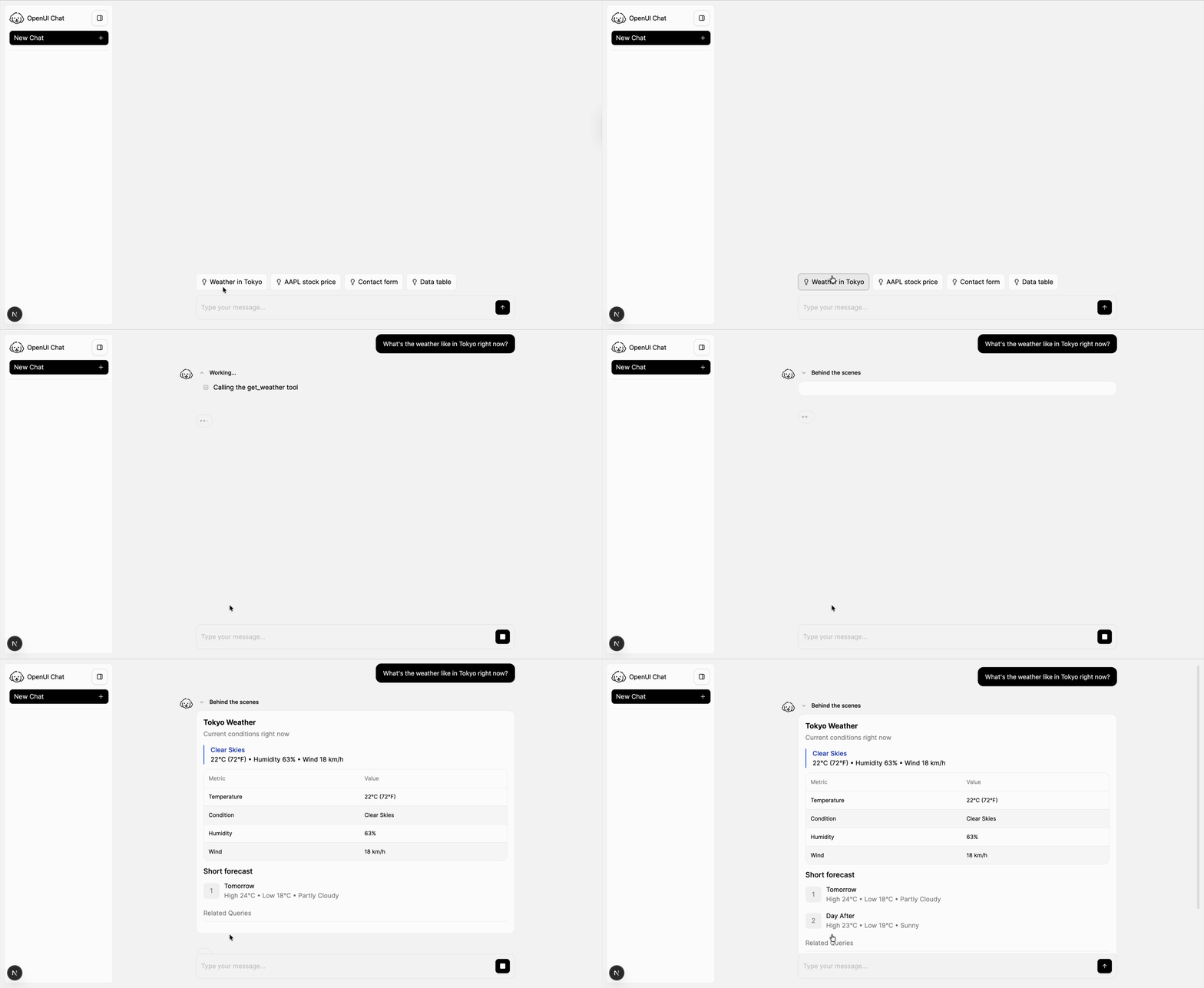
FullScreen provides a full-page chat layout with the built-in thread list and main conversation area.
This page covers the complete built-in layout. For a sidebar inside an existing app screen, see Copilot. For a floating widget, see BottomTray.
import { FullScreen } from "@openuidev/react-ui";

export function App() {
  return (
    <div className="h-screen">
      <FullScreen apiUrl="/api/chat" agentName="Assistant" />
    </div>
  );
}
Common configuration
<FullScreen
  apiUrl="/api/chat"
  threadApiUrl="/api/threads"
  agentName="Data Assistant"
  logoUrl="/logo.png"
/>
FullScreen is the best starting point for end-to-end setup because it exercises both the message surface and thread UI. See the End-to-End Guide if you want to wire the whole flow manually.
Related guides
Connecting to LLM
Configure endpoint, streaming adapters, and auth.
Connect Thread History
Load thread lists and message history from your backend.
Welcome & Starters
Customize the empty-state experience.
Theming
Control colors, mode, and theme overrides.
Custom Chat Components
Override the built-in composer and message rendering.