Welcome & Starters
Configure the empty-state welcome message and conversation starters.
When there are no messages yet, OpenUI Chat shows a welcome state. The same props work across the built-in layouts, including Copilot, FullScreen, and BottomTray.
You can customize that empty state with:
welcomeMessageconversationStarters
Basic welcome state
import { Copilot } from "@openuidev/react-ui";

<Copilot
  apiUrl="/api/chat"
  welcomeMessage={{
    title: "Hi there! 👋",
    description: "How can I help today?",
  }}
  conversationStarters={{
    options: [
      { displayText: "Track my order", prompt: "Where is my latest order?" },
      { displayText: "Billing help", prompt: "I have a billing question." },
    ],
  }}
/>;
displayText is what users click. prompt is what gets sent to the model.
Custom welcome component
If you want full control over the empty state, pass a React component instead of a config object.
function CustomWelcome() {
  return (
    <div>
      <h2>Welcome back</h2>
      <p>Ask about orders, billing, or product recommendations.</p>
    </div>
  );
}

<Copilot apiUrl="/api/chat" welcomeMessage={CustomWelcome} agentName="Assistant" />;
Conversation starter variants
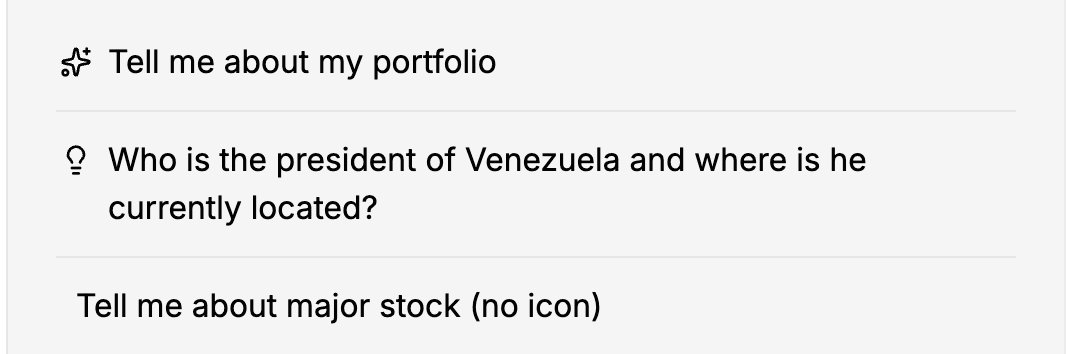
Use variant="short" for compact pill buttons or variant="long" for more descriptive list-style starters.
<Copilot
  apiUrl="/api/chat"
  conversationStarters={{
    variant: "long",
    options: [
      {
        displayText: "Track my order",
        prompt: "Where is my latest order?",
      },
      {
        displayText: "Return an item",
        prompt: "How do I return a product?",
      },
    ],
  }}
  agentName="Assistant"
/>
"short" variant
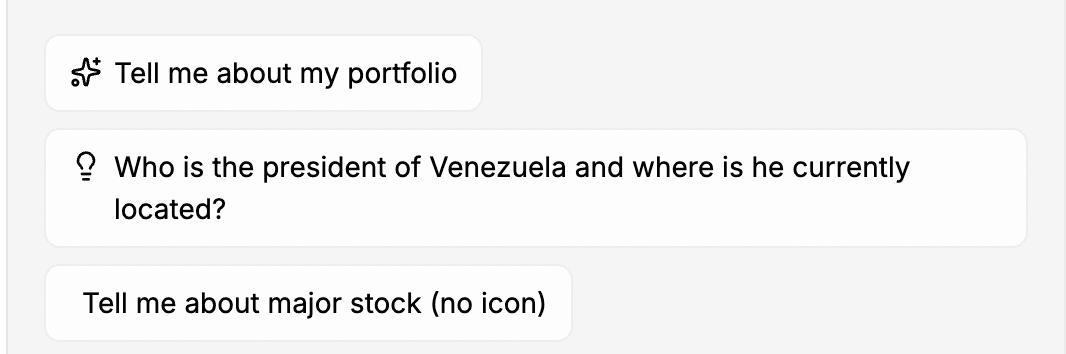
"long" variant